
Share a list or an entire Gantt. Whoever subscribes sees it read-only, leaves comments where something needs agreeing, and can even suggest a status for a task —"I'd call this one done"— but you apply the change. Want to work in parallel? They grab their own copy. No more parallel WhatsApp group to figure out who does what.
Calendar, tasks, notes…
all in one app
that doesn't make you lie.
Write things down at the certainty level you have right now. No gap-filling on the calendar. No ghost reminders for "someday".
What do you want to capture?
Write anything and it goes to your inbox. Tap the Floaty icon to talk to your assistant.
Meeting with Marta
Tue · 10:00
Important
Work
Write anything…
Ask Floaty
and let the AI handle it
and let the AI handle it
ALWAYS AI
Web, no install · Also on macOS and iPhone · No card, no email
And when there's a team behind it
You share. They comment. They suggest. But you decide.
Running things agile? Switch to the Kanban view and tasks line up in columns by status —to do, in progress, on hold—. Drag a card and it moves along. No ceremonies, no extra tool: the same object, a different way to look at it. And once you share it, the team sees at a glance where everything stands.
Available · Business plan
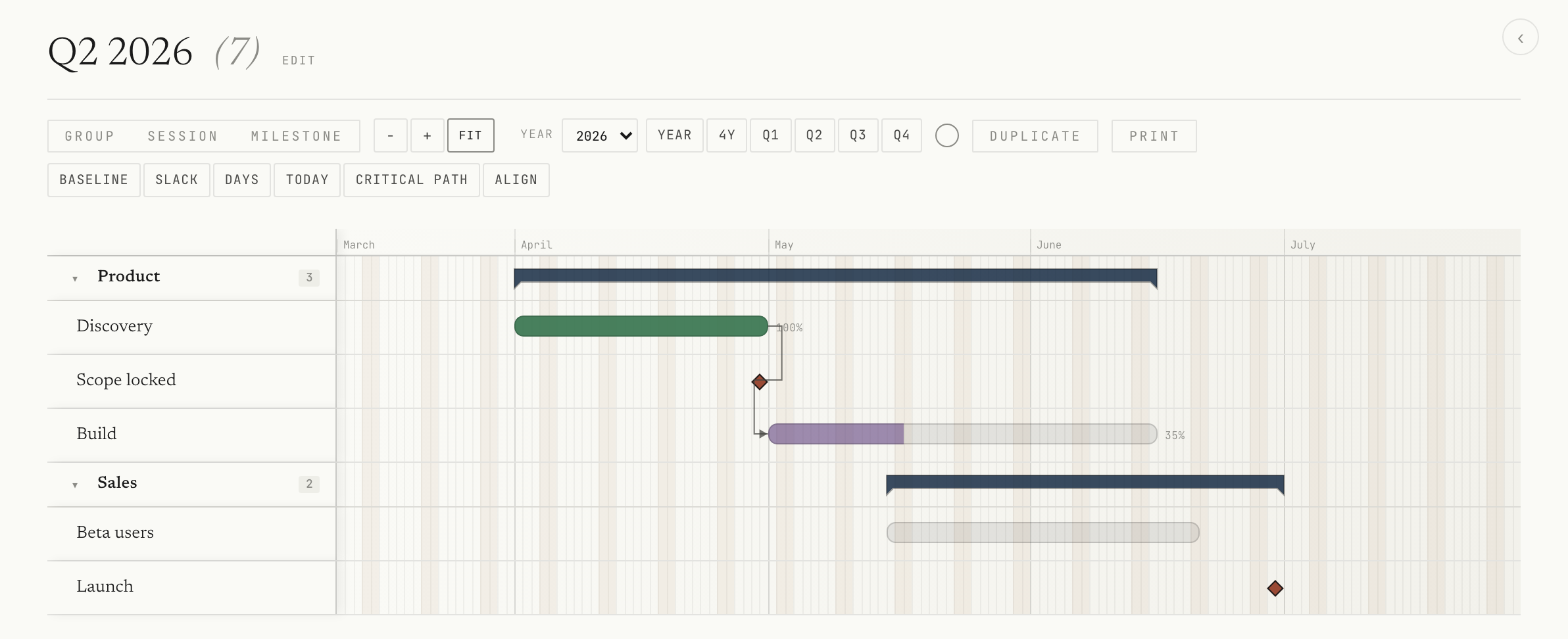
Plan a real strategy. Gantt included.
Some things don't fit in a list: they have phases, dependencies and dates that move. Floatask plans them by dates or duration, with milestones, critical path, provisional sessions, slack and Markdown notes on every element.
Quarter, year or free views, and careful A3/A4 printing. Without leaving the same app, without another €30/mo tool.
And the Business plan isn't just the Gantt: it also includes team collaboration without limits —share, comment and suggest statuses— as you saw above.
landing/en/screenshots/gantt.png
New · AI assistant
Don't talk to yourself.
Talk to your tasks.
An AI assistant, built into the app, that creates, finds, organizes and updates your tasks in natural language. Just ask, and it does it for you.
- “Create a meeting tomorrow at 12 and assign it to Marta”
- “What's on my plate this week?”
- “Put the report task on hold”
Assistant
Hi! I'm your FloaTask assistant. I can create, find and organize your tasks for you using natural language.
Create “Call the client” for today at 5:00 PM
Done. I've created “Call the client” for today at 17:00.
What do I have tomorrow?
Tomorrow you have 3 tasks: Meeting (12:00), Review budget and Call the plumber.
Three moments, one object
Capture. Then Refine.
It doesn't need to know if it's a task, an event or a note. You write it down as it comes and go back to what you were doing.
If you're not in the mood for details, no details. Floatask won't interrogate you.

landing/en/screenshots/captura.png
Is it this month but you don't know the day? Tap the MONTH chip. Important? IMPORTANT chip. At 4:55 PM? Tap the clock.
The This month view shows the tasks with a concrete day and the ones you said "some day in May". If on Monday you realize it was for Tuesday, drag the chip — the task drops to that day. No rewrite, no duplicate.
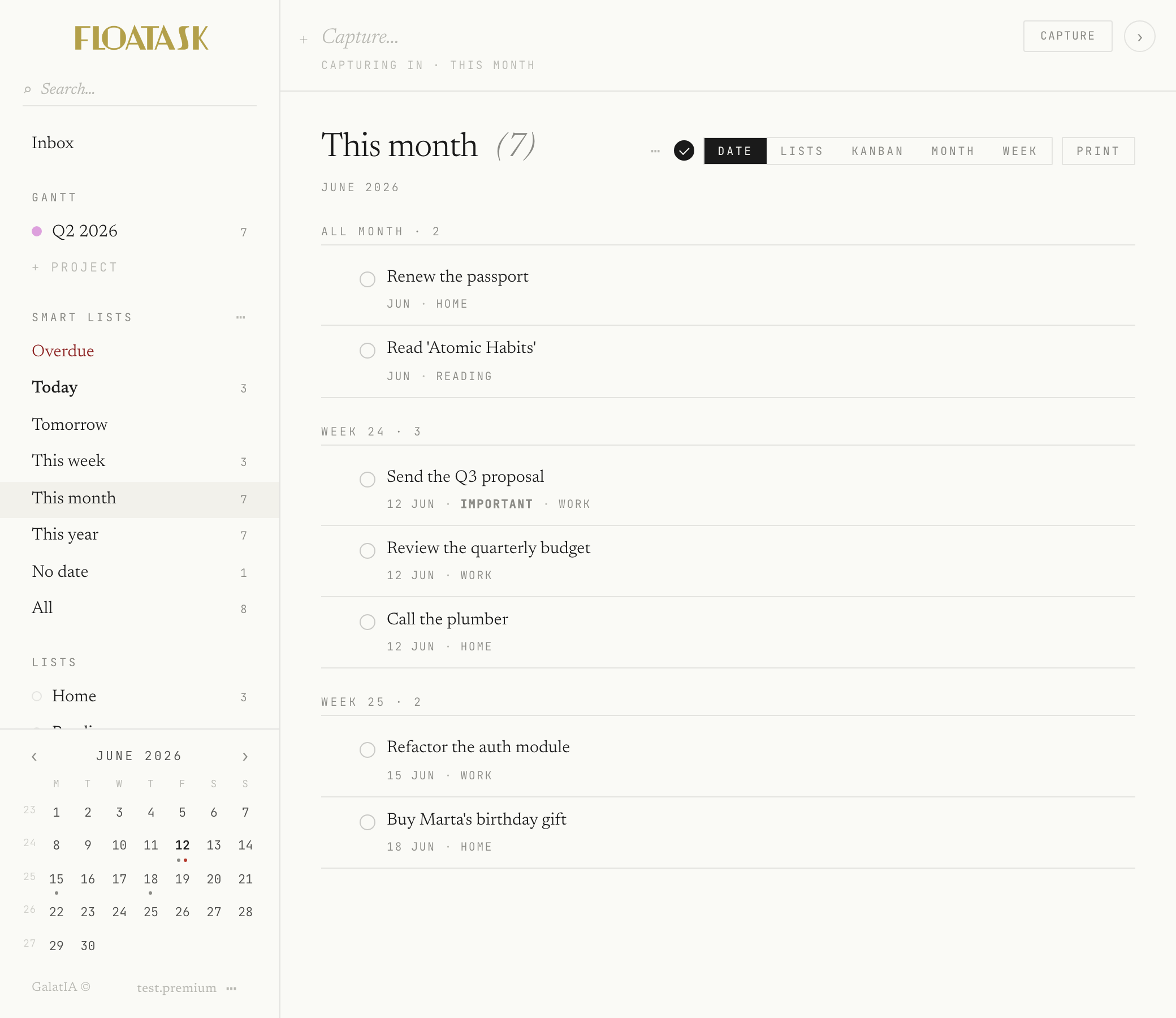
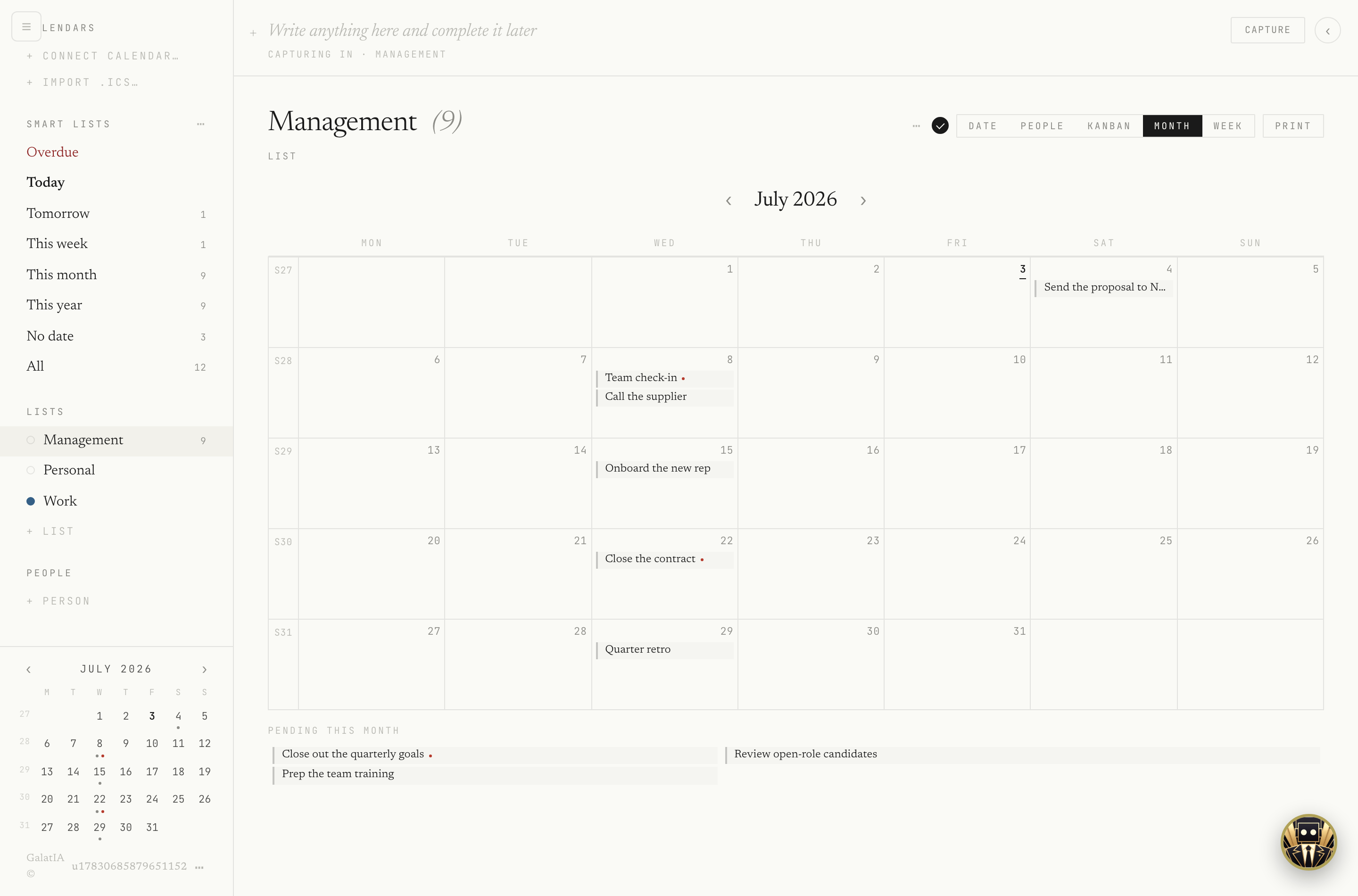
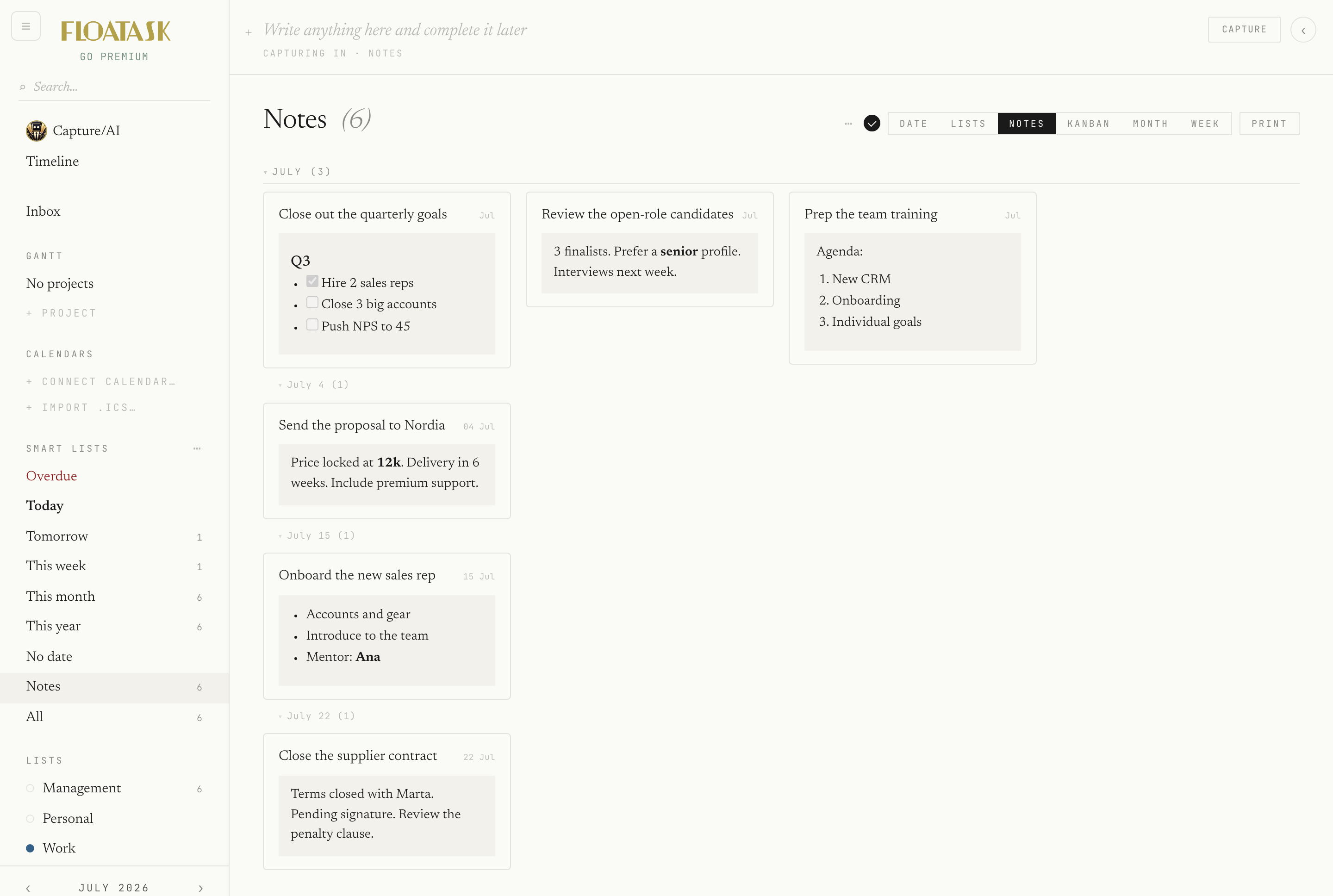
That's Floatask. The rest — lists, monthly calendar, kanban, alarms at an exact time, comments on shared content — come for free once you get the joke.
Who it's for
If you've felt like this,
Floatask is for you.
- You tried Notion and dropped it because it was too much just to jot down "call the plumber".
- You have three lists in three different apps and sometimes forget which to check.
- You're a freelancer, contractor or creative — your schedule doesn't fit a fixed day.
- You juggle kids and parents in parallel: school, doctors, bank, gifts.
- You have ADHD (diagnosed or suspected) and most task managers punish you for planning fluidly.
- You've been switching apps every six months for years because none of them feel like you.
If any of that rings a bell, try it for two weeks. If it doesn't change how you capture things, we'll leave you alone — we don't have your email for follow-up.
For those who automate
And also from code.
Start now.
Create account
Coming soon to the stores
Coming soon to theApp Store
Coming soon to theMac App Store